
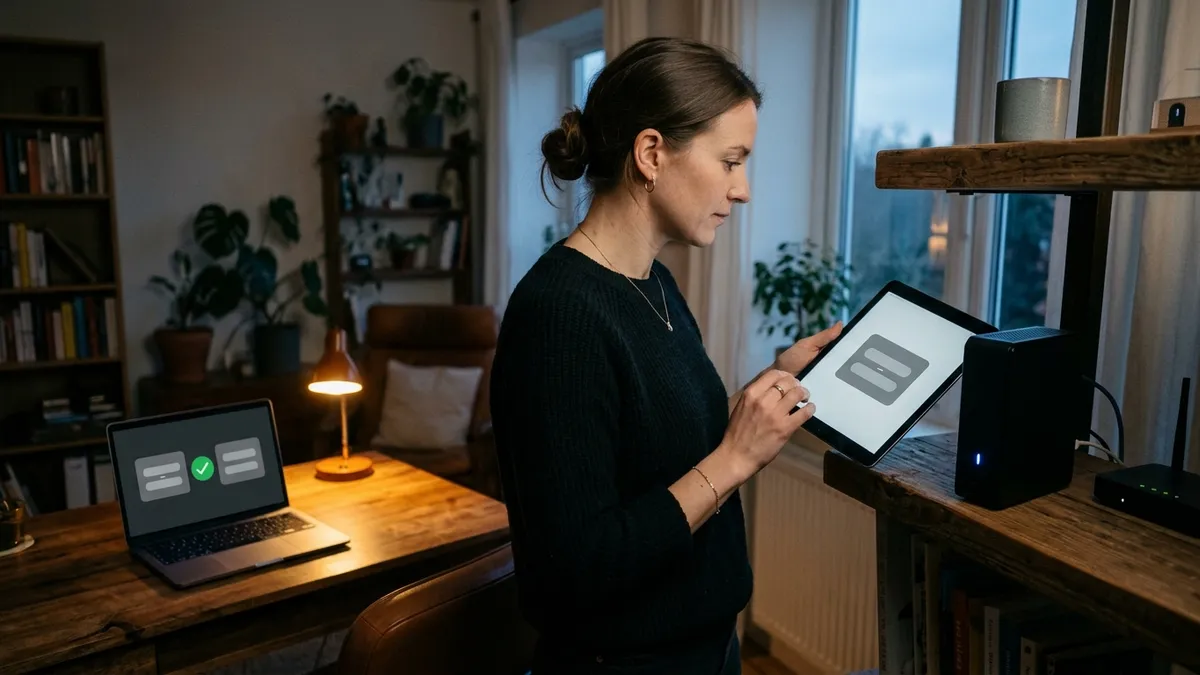
The OpenClaw 2026.11.7 release, published on November 23, 2026, lists browser pairing among its highlights: “Pair another browser with a short code approved on the Gateway host, with clearer instructions while approval is pending.” A browser that holds no Gateway credential can now ask for an eight-character code, and one command on the machine that runs the Gateway approves it. The change removes a step that solo operators and small businesses met whenever they opened the web interface, called the Control UI, from a second laptop or a new browser. It also carries a risk the documentation states directly: approval gives that browser administrator access.
The problem: a secret had to be moved by hand
Pull request 191513, merged on November 10, 2026, describes the situation before the change. A browser with no Gateway credential had no way to ask for one. It needed a pasted token, or a one-time link produced by openclaw dashboard on the host and carried over to the other machine. The pull request notes that on a Gateway with no screen, reached over SSH, both options meant moving a secret by hand.
That describes a common small setup: OpenClaw runs on a rented server or a spare computer, and the operator reaches the Control UI from whatever device is nearby. Readers who are still at the installation stage can start with the guides to installing OpenClaw and OpenClaw setup.
How code pairing works
The Control UI connection documentation gives three steps.
- Open the Gateway address in the new browser and choose Pair this browser. The page shows a code such as
ABCD-EFGHand the command to run. - On the Gateway host, run
openclaw pair ABCD-EFGH. The command prints the browser’s reported user agent, its network address, the page it opened, a Browser ID and the time of the request, then asks for a yes or no. - Keep the page open. According to the documentation, it connects by itself within a few seconds of approval.
The reference page for the pair command adds the limits. A code expires after ten minutes and works once. Codes are not case-sensitive and the hyphen is optional. A Gateway that runs under a named profile shows the profile in front of the code, for example work:ABCD-EFGH, and the command selects that profile by itself.
One detail matters for operators who work over SSH. The reference page states that a plain ssh host openclaw pair ABCD-EFGH has no terminal to answer the question, so nothing is approved. The documented form is ssh -t host openclaw pair ABCD-EFGH. A --yes option approves without asking, and the pull request states that the pairing page never suggests it.
Approval grants administrator access
The connection documentation says code pairing “is not a guest invitation.” An approved browser becomes an operator device with the Control UI’s administrator scopes, the same result as approving it with openclaw devices approve.
The same page explains why the code needs care even though it is not a secret. A code names a waiting browser, and anyone who can reach the Gateway page can display one. If an operator runs a code that another person sent, that person’s browser gains control of the Gateway. The documented rule is to approve only a code the operator requested, and to answer no unless the code in the terminal matches the page on the operator’s own screen.
The command output supports that check. The reference page says the address row is the peer the Gateway saw, while rows marked (reported) come from the requesting browser and should be treated as hints.
Limits and exceptions
- Plain HTTP. Pairing works on an
http://address on a local network. The documentation warns that anyone on that network can read the Gateway traffic afterwards and recommends HTTPS. - The token is still a secret. The browser receives a device token after approval. The documentation says supported HTTP routes accept that token by itself, so it should be protected like any other operator token.
- Narrowed or revoked browsers stay limited. A browser that was already paired and later had its token revoked or reduced cannot use a code to regain access. The command refuses, and the reference page points to
openclaw dashboardon the host or to removing the device first. - Gateways with roles configured. Code pairing does not establish a signed-in user identity. A Gateway with
gateway.rolesconfigured refuses it, and the documentation directs those operators to the Gateway’s identity-aware sign-in. - Pending requests are capped. The pull request states that at most 32 requests can be pending. It records a known limit: a network client that rotates its source address can keep that table full, and other browsers then see “Too many pairing requests.” Token sign-in and
openclaw dashboardlinks keep working in that case. - Cancel does not revoke. The Cancel button withdraws a pending request. It does not remove a browser whose approval already completed.
Removing a paired browser
A browser paired by code is an ordinary device entry. The devices command reference lists openclaw devices list to see paired devices and openclaw devices remove <deviceId> to end one device’s access. The same entries appear on the Devices page of the Control UI. The pull request adds that tokens issued through code pairing are tied to the Gateway’s shared secret, so rotating that secret retires them.
This site’s earlier report on credential scoping in OpenClaw covers how the project limits what each credential can reach.
Clearer instructions while a client waits
The second half of the release note refers to pull request 200905, merged on November 18, 2026. Before it, a new client that was not yet paired received a hint to run openclaw devices approve --latest. The pull request explains that when the command was run from that same unpaired client, it failed with the same “device pairing required” error. The hint now says to approve the request from the Gateway host or in the Control UI under Settings, then Devices. Both paths work before the client is paired.
Checklist for a small operation
- After updating to 2026.11.7, open the Gateway address in a second browser, choose Pair this browser, and approve the code from the host.
- Over SSH, use
ssh -tso the command can ask its question. - Approve only a code that is on the operator’s own screen. Answer no to a code received in a message.
- Do not use code pairing to give a client or contractor limited access. Every approved browser is an administrator.
- Review
openclaw devices liston a regular schedule and remove browsers that are no longer in use. - Serve the Control UI over HTTPS when it is reached from outside the host machine.
The 2026.11.7 release also extends reply recovery across Gateway restarts, a subject this site covered in its report on restart-safe replies, and it follows the queue changes described in the report on messages sent to a busy agent. The AI agent harness guide compares how other agent systems handle sign-in and device access.
Sources
- OpenClaw v2026.11.7 release on GitHub
- OpenClaw pull request 191513: pair a browser with a short code approved on the host
- OpenClaw pull request 200905: tell a client waiting for pairing to approve it on the Gateway host
- OpenClaw documentation: Control UI, connect and pair
- OpenClaw documentation: the pair command
- OpenClaw documentation: the devices command