
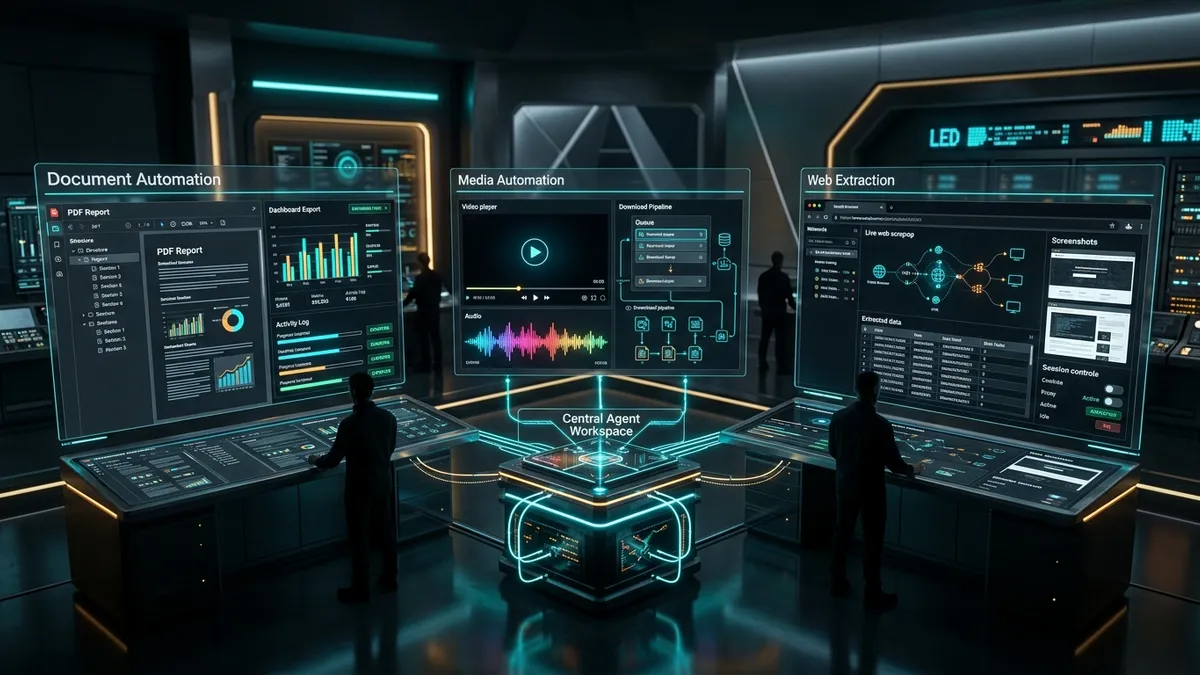
The biggest opportunity in the Apify Actor Store is not just scraping one more page. It is giving your AI agents clean access to repeatable capabilities they can call on demand, like document generation, media acquisition, and browser-based extraction on pages that ordinary automation struggles to handle.
Three newly published actors from ReinventingAI stand out for exactly that reason: URL to PDF, Video or Audio Downloader, and CloakBrowser Scraper. They are practical, API-ready building blocks that can make agent workflows more useful, more productizable, and easier to turn into a real business.
Short summary
- URL to PDF turns public and authenticated web pages into clean, automation-friendly PDFs with advanced rendering and compliance features.
- Video or Audio Downloader gives agents a way to pull media from more than 1,000 supported sites, then feed those assets into research, repurposing, and monitoring workflows.
- CloakBrowser Scraper helps agents extract content, screenshots, and structured data from sites that often block ordinary browser automation.
- Together, they form a strong foundation for AI agent tooling, business automation, and SaaS products built on the Apify ecosystem.
Why these three Apify Actors matter
A lot of people still think about Actors as one-off utilities. That undersells them. The smarter framing is that an Actor can become a callable endpoint inside a larger system. Once an AI agent can invoke it through the Apify platform, you are no longer limited to text generation. Your agent can create files, collect media assets, navigate hard targets, and pass structured outputs into the rest of your stack.
That is especially attractive if you are already building with tools like OpenClaw webhooks, browser automation, or repo-based workflow systems. Instead of asking a model to vaguely describe a task, you give it a concrete tool that actually does the work.
In practical terms, these three actors unlock three different categories of leverage:
- Artifact generation, turning URLs into distributable documents
- Media capture, converting public video and audio into usable workflow inputs
- Protected-page extraction, getting structured content and screenshots from harder browser targets
Those are not minor conveniences. They are the kind of capabilities that can turn an agent from an assistant into a working operator.
Review 1: URL to PDF
URL to PDF is much more than a basic webpage print tool. It is a serious document-generation endpoint designed for automated workflows, reports, archives, invoices, dashboards, authenticated app screens, and compliance-style output.
What makes it stand out
Under the hood, the actor uses Gotenberg Chromium and exposes controls that most lightweight PDF converters skip. That includes page sizing, margins, print backgrounds, waits for JavaScript-heavy pages, cookies and custom headers for authenticated pages, header and footer HTML, document outlines, metadata, encryption, and post-processing options like watermarking, stamping, splitting, and rotation.
That breadth matters. If all you need is a screenshot-in-a-PDF wrapper, there are easier ways to do that. What makes this actor valuable is that it can slot into real production workflows where document quality, timing, auth state, and output rules actually matter.
Why it is useful for AI agents
- An agent can generate a report URL, then immediately turn it into a client-ready PDF.
- An operations workflow can capture invoices, contract pages, analytics dashboards, or approval screens as permanent artifacts.
- A compliance or QA agent can archive changing web pages with metadata, PDF/A options, and watermarking.
- A sales or customer success agent can package account snapshots into a document that is easy to share internally.
Business automation workflows it unlocks
- Dashboard reporting workflow: pull a live analytics URL, wait for charts to finish rendering, export PDF, then email or store it.
- Invoice capture workflow: log in to a billing tool, hit the invoice page, generate a PDF artifact, and route it to bookkeeping.
- Compliance archive workflow: preserve product pages, policies, contracts, or disclosures on a schedule with audit-friendly settings.
- Client deliverable workflow: convert landing pages, audits, or generated reports into downloadable handoff documents.
SaaS and product opportunities
- Automated reporting SaaS for agencies that need branded client PDFs from dashboards and analytics tools
- Legal or compliance archive platform that stores versioned evidence of live pages and documents
- Invoice and contract vault for operators who want web-based financial records turned into searchable files
- Proposal and deliverable generator that converts dynamic web-based outputs into polished PDFs for clients
The transformation here is simple. A lot of web information is useful, but not portable. URL to PDF turns it into a stable artifact that can move through the rest of the business.
Review 2: Video or Audio Downloader
Video or Audio Downloader is the kind of actor that looks obvious on the surface and becomes much more interesting once you think like an operator. It supports downloads from more than 1,000 sites through yt-dlp and ffmpeg, can output MP4 video or MP3 audio, supports bulk processing, and returns direct links to the resulting media stored in Apify.
What makes it stand out
The key differentiator is not just format conversion. It is turning scattered web media into an asset your systems can reliably ingest. The actor supports quality selection, bulk URL input, and real-time request handling through Apify Standby Mode. It also documents the practical auth path for harder sources like YouTube, where cookies and proxy support may be required.
That makes it much more useful than a consumer-grade downloader. It is designed to be called by workflows.
Why it is useful for AI agents
- An agent can download a founder interview, podcast, webinar, or competitor video, then pass it into transcription or summarization steps.
- A research agent can monitor creator channels, ad libraries, or social content and preserve media before it disappears.
- A content system can extract audio only, then feed the MP3 into note generation, clipping, tagging, or knowledge ingestion.
- A sales enablement or training workflow can build internal media libraries from scattered public sources.
Business automation workflows it unlocks
- Competitive intelligence workflow: collect competitor videos, webinars, and social posts, then summarize themes and claims.
- Podcast knowledge workflow: download episodes, transcribe them, extract insights, and store them in a searchable research database.
- Creative ops workflow: pull raw media from multiple channels, normalize the format, and queue it for editing or repurposing.
- Training library workflow: collect tutorials or product demos and convert them into internal learning assets.
SaaS and product opportunities
- Competitor content monitoring SaaS that tracks what rivals are publishing across video-heavy platforms
- Podcast and webinar intelligence platform for B2B sales, investing, or market research teams
- Creator repurposing app that downloads source media, extracts audio, generates transcripts, and produces derivative content
- Media evidence archive for PR, legal, trust and safety, or policy teams that need to preserve public video artifacts
This actor does not just unlock downloadable files. It unlocks media as structured workflow input. That is a big difference. Once the media is in your system, agents can classify it, summarize it, clip it, transcribe it, compare it, or turn it into something else.
Review 3: CloakBrowser Scraper
CloakBrowser Scraper may be the most strategically interesting of the three because it addresses a common failure point in agent automation, namely, pages that ordinary scraping or basic browser automation cannot reliably handle.
What makes it stand out
The actor is built on CloakBrowser and supports markdown, HTML, or structured JSON output, screenshots, lightweight interaction steps, persistent browser contexts, cookie and storage-state import and export, and standby-mode request handling. It can wait for selectors, click buttons, type into search fields, scroll, hover, navigate, and capture artifacts before extraction.
That is exactly the kind of real-world flexibility you need for pages with cookie banners, delayed rendering, search steps, lightweight auth state, or anti-bot friction.
Why it is useful for AI agents
- An agent can interact with a page before extraction instead of failing on the first blocked or unfinished state.
- A research workflow can save screenshots and structured content from pages where a normal fetch would be useless.
- A monitoring pipeline can reuse session state across runs instead of repeating the same manual setup each time.
- An automation stack can move extracted content directly into classification, summarization, or downstream decision logic.
Business automation workflows it unlocks
- Protected content monitoring: inspect sites that need light interaction, cookies, or persistent sessions before useful content appears.
- Product and pricing intelligence: extract structured page data and screenshots from defended ecommerce or SaaS targets.
- Lead research workflow: navigate to profile pages, search results, or gated resources, then capture text and visual evidence.
- QA and evidence workflow: take screenshots of live states so teams have both machine-readable output and visual proof.
SaaS and product opportunities
- Competitor monitoring platforms for ecommerce, SaaS, or media markets where public pages change constantly
- Agent-backed research tools that return both extracted data and a screenshot audit trail
- Protected-page API services for customers who need hard-to-fetch content in markdown or JSON
- Workflow copilots for analysts that gather evidence from dynamic sites before handing off the structured findings
This is where the phrase valuable data really fits. CloakBrowser Scraper is not just scraping text. It helps unlock content and context from pages that are often the most commercially useful and the hardest to operationalize.
The bigger opportunity: give your AI agents these endpoints
The real story is not that each actor is useful alone. It is that the Apify Actor Store gives you a clean way to expose these capabilities as callable endpoints for agents. That means one agent can decide which tool to use based on the job in front of it.
- Need a stable artifact from a live dashboard or page? Use URL to PDF.
- Need to pull media into a research or content pipeline? Use Video or Audio Downloader.
- Need to extract content from a blocked or interaction-heavy page? Use CloakBrowser Scraper.
This is exactly how agent tooling gets stronger over time. You stop pretending the model can do every operational task itself, and instead let it orchestrate specialized endpoints that do one job well.
If you are already experimenting with actorized products, this article pairs well with our earlier piece on building Apify Actors for recurring revenue. The difference here is that these three actors feel especially ready to be used as practical building blocks inside larger systems.
App ideas you could build with these endpoints
- Client reporting hub that captures dashboards as PDFs, bundles supporting screenshots, and emails deliverables automatically
- Creator intelligence platform that downloads media, transcribes it, extracts talking points, and tracks emerging themes
- Evidence vault for compliance teams that saves live pages, downloads source media, and stores timestamped artifacts
- Competitor watchtower that scrapes defended pages, archives offers, tracks messaging, and summarizes changes
- Media-to-knowledge app that downloads videos or audio, extracts transcripts, and turns them into searchable internal knowledge
- Sales research assistant that visits company pages, captures proof, downloads interviews, and produces account briefs
- Agency operations tool that turns ad previews, landing pages, and performance views into reusable assets for reporting and review
How these actors can transform automation workflows
The best automation systems do not just move data from one place to another. They reduce friction around inputs, evidence, and deliverables. These actors help on all three fronts.
- URL to PDF transforms live web states into portable artifacts.
- Video or Audio Downloader transforms public media into reusable workflow inputs.
- CloakBrowser Scraper transforms defended or dynamic pages into usable structured outputs.
That is why they are commercially interesting. Each one removes a bottleneck that often blocks real automation from being reliable enough to productize.
Frequently asked questions
What is the Apify Actor Store, and why does it matter for AI agents?
The Apify Actor Store gives builders and operators access to packaged cloud tools that can be run on demand. For AI agents, that matters because Actors can become the execution layer behind tasks like scraping, conversion, file generation, and media handling.
Which of these three actors is the best one to start with?
It depends on the workflow. If you need client-ready artifacts, start with URL to PDF. If your work revolves around creator content, podcasts, webinars, or social video, start with Video or Audio Downloader. If your biggest challenge is extracting useful content from dynamic or protected pages, start with CloakBrowser Scraper.
Can these actors be turned into a SaaS app?
Yes. In fact, that is one of the strongest opportunities here. Each actor can serve as a backend capability inside a more opinionated SaaS product, such as a reporting platform, monitoring system, research app, archive tool, or content intelligence workflow.
Why are these actors more valuable than using a generic AI model alone?
A generic model can describe a task, but it cannot always execute it reliably. These actors give the model concrete tools it can call to produce actual artifacts, pull actual media, and extract actual page content.
Can business users benefit from these, or are they only for developers?
Both can benefit. Developers can wire them into apps and APIs, while operators, agencies, analysts, and growth teams can use them to build repeatable automation workflows without recreating the underlying browser or media stack from scratch.
What is the most interesting combined use case across all three?
One strong combined use case is a market-intelligence system that scrapes hard pages, downloads supporting media, converts key pages into PDFs, and then hands the full evidence bundle to an AI agent for analysis, reporting, and routing.
Final take
I think these three actors are a good example of what makes the Apify ecosystem so useful right now. They are not novelty demos. They are concrete execution surfaces that solve stubborn workflow problems.
URL to PDF helps agents create polished artifacts. Video or Audio Downloader helps them turn web media into actionable inputs. CloakBrowser Scraper helps them reach pages and content that simpler tools often miss. Put together, they open up real product and automation opportunities for builders who want to give their agents access to more than words.
If your goal is to build useful AI software, not just talk about AI software, this is the kind of actor toolkit worth paying attention to.